Home / See
Telescope view simulator
A schematic of a visual impression for five targets. It is not a camera stack and not a promise.
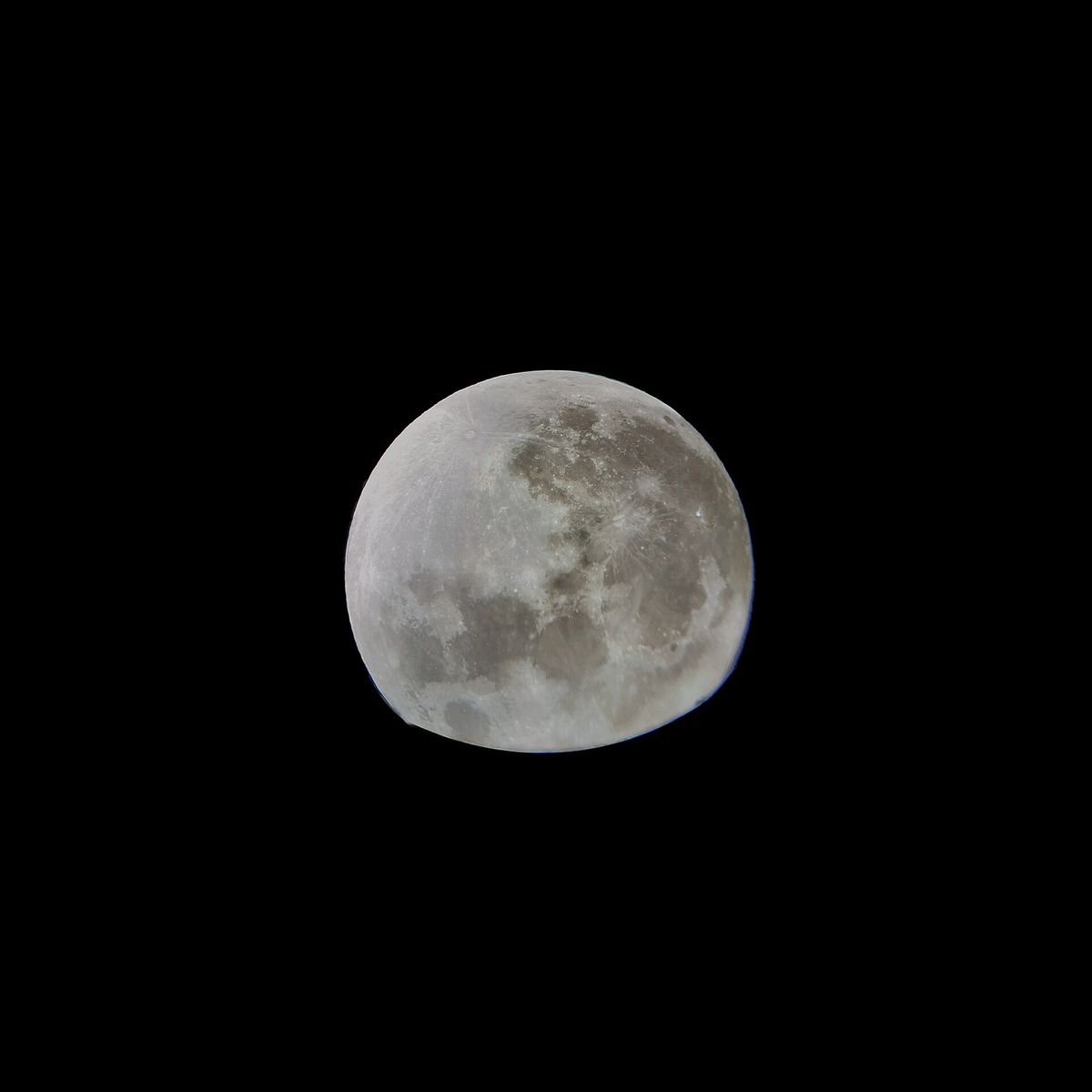
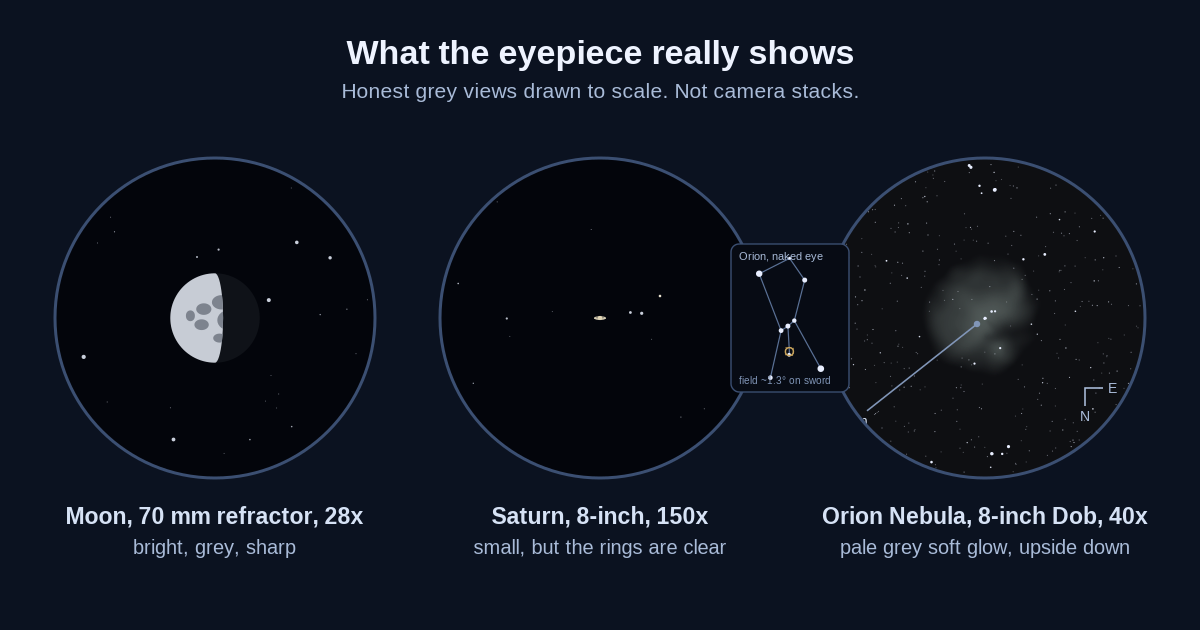
Eye versus camera: your eye does not accumulate light for minutes. Photos and smart-scope stacks are not what you see at the eyepiece.
Color: the Moon is grey; Jupiter and Saturn can show muted tones; M31 stays grey; M42 is grey with at most a faint green-grey cast in its bright core, as many observers report, and never red (no Hubble palette).
Extended objects: a telescope does not raise surface brightness above the naked-eye value. City sky glow shrinks contrast.
Orientation: most telescopes flip or mirror the view. The simulator turns the image the way each scope type does and marks north and east.
Binoculars have fixed eyepieces: 10x with a 6.5° true field. Eyepiece and Barlow do not apply.
Deep-sky tune (hidden; ?tune=1 only)
What the simulator simplifies
- Sizes are typical figures (Jupiter 47", Saturn 18.8" with a 12° ring tilt, Moon 31'), not tonight's ephemeris. Real sizes change through the year.
- Moons of Jupiter and Saturn sit at fixed teaching positions. The Moon is always drawn about 8 days old.
- Faintest-star figures follow a simplified Schaefer model for a typical observer with the target overhead: no atmospheric extinction, no allowance for practice (experienced observers often go 0.5 to 1 magnitude deeper).
- M42 uses a real wide-field photograph (grayscale, star-suppressed, soft-masked) at true angular size, with visibility mapped through the same surface-brightness and eye-threshold model as before. Under 70 mm to 8 inch the photo is heavily blurred and tone-mapped with a continuous soft curve so it reads as a pale grey glow around the Trapezium, brightest at the core and fading smoothly outward, with only a hint of the wings and the Fish's Mouth and no hard contour steps or fine filaments. A 10 to 12 inch under dark skies keeps modestly more structure. The bright inner fan stays about 15 to 25 arcmin under suburban or rural skies, not the full photographic veil. M31 stays code-drawn: a 6-inch under Bortle 3-4 shows a tight, almost starlike nucleus inside a very faint elongated haze that fades with no hard edge, with most of the field dark; the outer disk is only a whisper, M32 a tiny faint fuzzy near the core, and M110 a faint small elongated smudge, not the 3 degree photographic oval. How much of each object appears depends on aperture, exit pupil, and Bortle, and the mapping deliberately understates photographic detail. Catalog stars (including the Trapezium, iota Ori, 42/45 Ori, and the NGC 1981 group) are drawn from real positions. A naked-eye Orion inset marks the eyepiece field on the sword for scale. A screen pixel is coarser than the eye, so the Trapezium gets an enlarged inset when needed. Photo credit for M42: About and licenses.
- The secondary mirror is never visible in a focused view. Its effect is modeled as lower contrast on fine planetary detail, and Newtonian spider vanes add faint spikes to bright stars.
- The compass shows north and east in the image. Real Newtonian views can sit at any rotation depending on the focuser and where the scope points.
Without JavaScript, here is a worked example for an 8-inch Dobsonian with a 25 mm eyepiece under Bortle 4:
About 48x, exit pupil 4.2 mm, true FOV about 1.05°, Dawes 0.57".
Enable JavaScript for the interactive schematic. Deep-link with query parameters such as ?scope=dob-8in&object=m42&bortle=8.
Formulas used
- Magnification: M = F_tel / F_eyepiece (times Barlow factor if present)
- Exit pupil: d_ep = D / M = F_eyepiece / (f/)
- True FOV (approximate): TFOV ≈ AFOV / M Standard approximation; Tele Vue and others note distortion error often up to about 10%.
- True FOV (field stop): TFOV = (d_field_stop / F_tel) × 57.3° Preferred when a field-stop diameter is known.
- Dawes resolution: 116 / D_mm arcseconds (or 4.56 / D_inches)
- Rayleigh resolution: θ = 1.22 λ / D; at λ = 550 nm, about 138 / D_mm arcseconds
- Max useful magnification: Teaching ceiling about 2x per mm of aperture (about 50x per inch), the same as a 0.5 mm exit pupil. Seeing rule used here: power stops paying once the seeing blur is magnified to about 5 arcminutes, so M_max is about 300 / seeing in arcseconds (1.5" seeing gives 200x, 3" gives 100x), never above 300x. The seeing rule is a teaching rule of thumb chosen to match common experience (on most nights seeing limits useful power to roughly 150-250x), not a published formula.
- Limiting magnitude (sky and power aware): Teaching simplification of Schaefer (1990): the eyepiece background is dimmed by (exit pupil / eye pupil)^2 and the optics throughput, the naked-eye limit is read at that background with NELM = 7.93 - 5 log10(10^(4.316 - B/5) + 1), then the light gain 5 log10(D_used / eye pupil) + 2.5 log10(throughput) is added. D_used is capped at eye pupil x M, so oversized exit pupils waste aperture. Schaefer's seeing penalty applies once M x seeing exceeds 900 arcseconds. Not modeled: atmospheric extinction (target assumed near the zenith), observer experience (practiced observers often go 0.5-1 mag fainter), and binocular summation. Throughput assumes about 85-90% for lenses and 80% for two mirrors, times (1 - obstruction^2).
- Sky brightness (Bortle): Bortle classes 1-9 as a user control, mapped to the midpoint of the approximate SQM range tabulated for each class: 1: 21.9, 2: 21.7, 3: 21.45, 4: 21.05, 5: 19.8, 6: 18.9, 7: 18.25 mag/arcsec^2. Class 8 (listed as brighter than 18.0) uses 17.7 and class 9 (no published range) uses 17.2.
- Surface brightness of extended objects: The telescope does not increase surface brightness; exit pupils smaller than the eye dim the object and the sky by the same factor, and exit pupils larger than the eye waste light. Average surface brightness of a catalog object is m + 2.5 log10(pi/4 x a x b) with a and b in arcseconds (Clark 1990, Appendix E).
- Seeing a faint patch (contrast threshold): A teaching fit to the trend of Blackwell's 1946 threshold data: the contrast a patch needs falls as its apparent size grows (to about 4 degrees) and rises as the eyepiece background gets darker. Used only to decide how much of M42 or M31 the simulator draws. Shape of the curve follows the published trend; the exact coefficients are a simplification for teaching, not a fit to individual observers.
- Central obstruction: The secondary mirror is not visible in a focused view. It removes (1 - c^2) of the light and lowers contrast on fine planetary detail, roughly like an unobstructed aperture of D x (1 - c). The simulator uses that contrast aperture for planetary features and full aperture for star resolution.
- Image orientation: Binocular prisms give an upright, correct view. A refractor or SCT with a star diagonal gives an upright but mirror-reversed view. A Newtonian rotates the view (about 180 degrees, depending on the focuser) without mirroring.
Open the calculator · Chooser · What you can see
Sources
- NASA Moon fact sheet (radius, mean distance, apparent diameter) (retrieved 2026-11-24)
- NASA Jupiter fact sheet (apparent diameter at opposition, flattening) (retrieved 2026-11-24)
- NASA Saturn fact sheet (apparent diameter at opposition, flattening) (retrieved 2026-11-24)
- NASA Saturnian rings fact sheet (ring radii) (retrieved 2026-11-24)
- SEDS Messier catalog, M42 and M43 (retrieved 2026-11-24)
- Sky & Telescope, Observing the Great Orion Nebula (retrieved 2026-11-24)
- Burnham's Celestial Handbook, Vol. 2 (Orion) (retrieved 2026-11-24)
- NASA Hubble Messier Catalog, Messier 42 (Orion Nebula) (retrieved 2026-11-24)
- Roger N. Clark, Visual Astronomy of the Deep Sky, Appendix E (surface brightness) (retrieved 2026-11-24)
- Tele Vue, Telescope Formulas / Common Telescope Myths (eye vs telescope surface brightness) (retrieved 2026-11-24)
- ESO, The Orion Nebula and cluster from the VLT Survey Telescope (eso1723a), CC BY 4.0 (retrieved 2026-11-24)
- SEDS Messier catalog, M31, M32, and M110 (retrieved 2026-11-24)
- Sky & Telescope, Watch Andromeda Galaxy Blossom in Binoculars (retrieved 2026-11-24)
- Courteau et al. 2011, ApJ 739, 20 (M31 bulge and disk light profile) (retrieved 2026-11-24)
- NASA Hubble Messier Catalog, Messier 31 (Andromeda Galaxy) (retrieved 2026-11-24)
- NASA Hubble Messier Catalog, Messier 32 (retrieved 2026-11-24)
- Bradley E. Schaefer, Telescopic Limiting Magnitudes, PASP 102 (1990): 212-229 (retrieved 2026-11-24)
- NASA NTRS 19900039111 (retrieved 2026-11-24)
- Unihedron / K. Fisher, NELM and sky brightness conversions (after Schaefer 1990 and Clark 1990) (retrieved 2026-11-24)
- John E. Bortle, Gauging Light Pollution: The Bortle Dark-Sky Scale, Sky & Telescope, February 2001, 126-128 (retrieved 2026-11-24)
- Bortle scale table with approximate SQM ranges (Wikipedia, citing Dark Skies Awareness) (retrieved 2026-11-24)
- H. Richard Blackwell, Contrast Thresholds of the Human Eye, JOSA 36 (1946): 624-643 (retrieved 2026-11-24)
- Andrew Crumey, Human Contrast Threshold and Astronomical Visibility, MNRAS 442 (2014): 2600-2619 (retrieved 2026-11-24)
- telescope-optics.net, central obstruction effects (retrieved 2026-11-24)
- BBC Sky at Night Magazine, Why does my telescope show everything upside down? (retrieved 2026-11-24)
- British Astronomical Association, Getting started with your telescope: which way is up? (retrieved 2026-11-24)